School communication software for staff, teachers, students and families.
Write once and reach the right people the way each of them reads: the Classter app, email from your own domain, SMS or Viber. Staff talk to each other, teachers to their classes, families to the school, all on the record.
Show the real screen
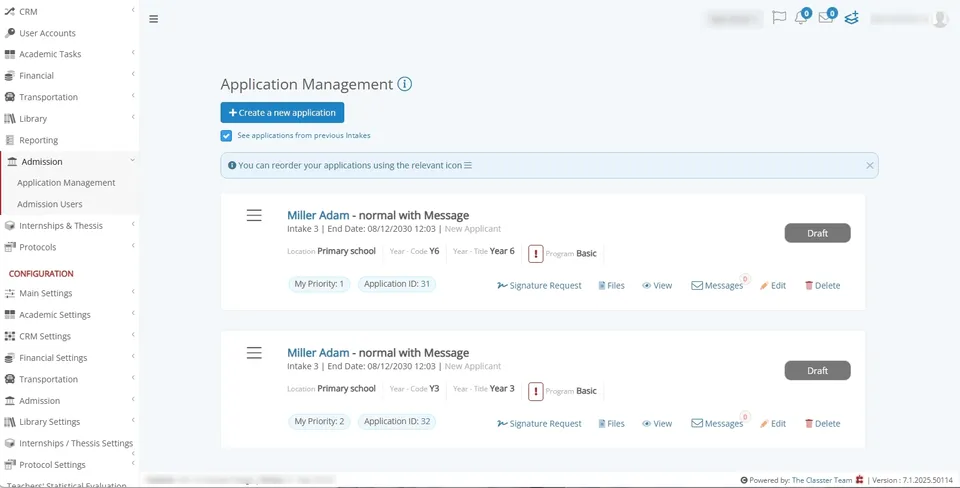
Communication in Classter, in four answers.
What does communication in Classter cover?
Classter covers communication between staff, teachers, students and families: internal messages, announcements, email from your own domain, SMS, Viber and push notifications in the Classter app. It also runs parents' evening booking, events with RSVPs and 20+ automatic alerts. Every message stays on the record, so the school knows what went out, to whom and when.
Last checked Nov 2026Who can message whom in Classter?
Your school decides. Visibility rules in Classter set which roles may write to whom. Office staff can reach everyone on every channel; teachers write to their classes, families and colleagues by internal message and email; parents and students write to teachers and the office when you allow it. Each person can choose how they prefer to receive messages.
Last checked Nov 2026How do parents book parents' evening in Classter?
Teachers publish their free slots for each type of meeting. Parents and students then book a time in the Classter app or the web portal, in person, by phone or online, and can reschedule or cancel there. For online meetings Classter creates a Microsoft Teams link per booking; Zoom or Webex use a fixed link per teacher.
Last checked Nov 2026Can Classter tell parents about an absence the same morning?
Yes. When a teacher saves the register, Classter sends the family a message by app, SMS, email or Viber, in the channels you switch on. You choose which statuses trigger it, such as absent or late, and whether a family gets one message per day. Parents can also report a planned absence in advance in the app.
Last checked Nov 2026Who needs to hear this, and how do they each read?
Pick the people: a class, a year group, a campus, all teachers, one family or one colleague. Choose the channel, or send each person their preferred way. Students, parents and teachers all have an inbox, on the web and in the app.
- Internal messages with threads, folders, reply all, CC and BCC
- Email from your own domain, sent now or at a time you set
- SMS and Viber through providers such as Yuboto and Apifon
- Push notifications that open the message in the Classter app
- "Preferred method": each person gets it the way they chose
- Reach everyone on the channel they read
- Maria, parent: Classter app, push notification
- Giorgos, parent: SMS
- Nikos, student: Classter app inbox
- Ms Georgiou, teacher: email from news@yourschool.org
- Mr Doyle, office: internal message
Illustrative data. Each person sets their preferred method; you can override it for urgent news.
Can teachers message families without sharing a phone number?
Yes, inside the rules you set. Visibility rules decide which roles may write to whom. Teachers write by internal message and email; SMS and Viber go out from the office. Every message stays on the record, so you know what was said and when.
- Staff to staff: internal messages and central announcements
- Teachers to their students, families and colleagues
- Parents and students to teachers, mentors and the office, when you allow it
- Mentors, supervisors and agents can be recipients too
- A message history per student, kept with the record
| Sender | Can write to | Channels |
|---|---|---|
| Office and admins | Everyone | App, email, SMS, Viber |
| Teachers | Their classes, families and colleagues | Internal message, email |
| Parents | Their children's teachers and the office | Internal message |
| Students | Their teachers | Internal message |
Does a parent know their child is absent before break?
When a teacher saves the register, Classter tells the family by app, SMS, email or Viber, the same morning. You choose which statuses send a message, and whether a family gets one message a day. Parents can also report a planned absence in the app.
- Same-morning absence alerts, sent as the register is saved
- Your choice of statuses: absent, late or both
- One message per day per family, if you prefer
- Alerts when absences pass a limit you set
- Tell families about absences
Still running parents' evening on a sheet by the classroom door?
Teachers publish their free slots for each kind of meeting. Parents and students book a time in the Classter app or the portal, in person, by phone or online. For online meetings, Classter creates a Microsoft Teams meeting for each booking, and everyone gets a reminder.
- Teachers set availability per meeting type
- Parents search for slots that fit their working day
- Book, reschedule and cancel in the app or the portal
- A new Teams link per booking, or a fixed link per teacher for Zoom or Webex
- Mentors, tutors and the principal can take bookings too
- Run parents' evening
| Time | Slot | How |
|---|---|---|
| 17:00 | Taken | In person |
| 17:10 | Taken | Teams link sent |
| 17:20 | Free | In person or Teams |
| 17:30 | Free | In person or Teams |
How do you tell everyone the school is closed today?
A central announcement goes to the top of every dashboard and every app home, for families, students and staff at once. Everyday announcements, events with RSVPs and the rooms they need run from the same place.
- Central announcements for urgent news
- Teacher announcements, with approval if you want it
- Events with invitations, RSVPs, room booking and a satisfaction survey
- Consents collected and tracked
- 20+ automatic alerts for marks, fees and changes in status
| Event | Invited | Replies | Room |
|---|---|---|---|
| Open day, Sat 14 Feb | Prospective families | 84 yes | Hall booked |
| Year 11 options evening | Parents of Year 11 | 61 yes | Library booked |
| Staff training day | All teachers | 48 of 52 | 4 to reply |
An assistant in the app is being built.
Epicurus answers how-to questions for admins in the portal today. A version inside the mobile app, for students, parents and teachers, is being built now. There is no family-facing assistant today, and we will not put a date on it until we can keep it.
Your domain, your SMS provider, your Teams.
Messages go out under your school's name. Online meetings open in Microsoft Teams. Everyone signs in with the accounts you give them.
Questions buyers ask about communication.
Is this only for talking to parents?
Do parents need the app?
Does Classter work with WhatsApp?
Can messages come from our own email address?
Can teachers message parents directly?
Can parents book parents' evening on their phone?
Is there an AI chatbot for parents?
Bring your hardest question. We'll start there.
A 30-minute call on Teams with a Classter specialist for your country. Price first, then the parts you care about.