Teaching tools for homework, quizzes and class files, synced with your LMS.
Every lesson in the timetable has a place for its homework, files and quizzes. If you already teach in Moodle, Canvas or Teams, Classter keeps them in sync instead.
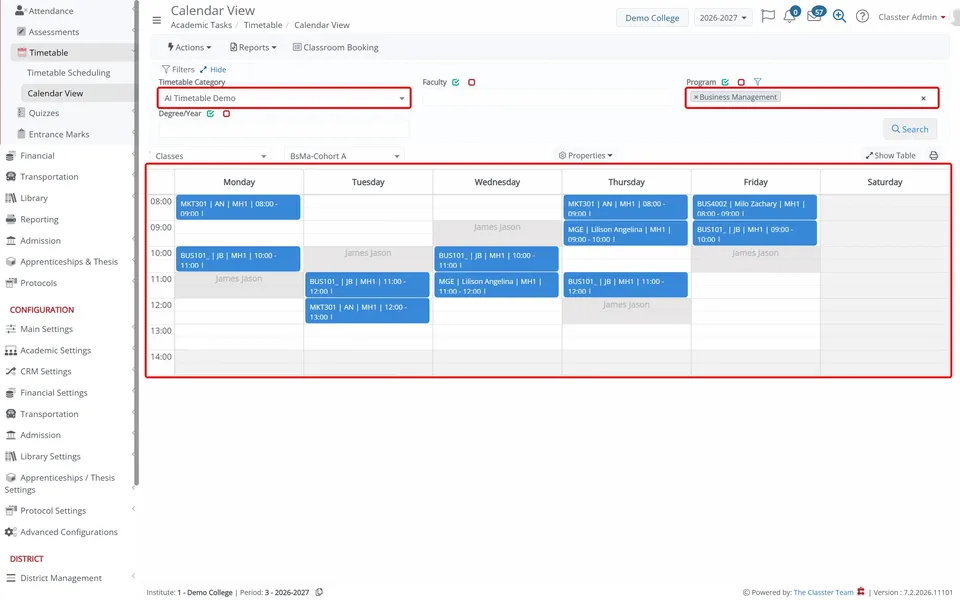
| Mon | Tue | Wed | Thu | Fri | |
|---|---|---|---|---|---|
| 08:30 | Maths | English | Physics | History | Maths |
| 09:20 | Greek | Chemistry | PE | English | Music |
| 10:20 | Biology | Maths | Art | Physics | English |
| 11:10 | History | Greek | Maths | IT | Biology |
| 12:10 | Chemistry | Music | English | Maths | PE |
Show the real screen
Teaching and LMS sync in Classter, in four answers.
Does Classter include an LMS?
Classter includes the teaching tools many schools and academies need: homework with due dates, class file folders, a discussion board, quizzes, assignments and online classes on Zoom, Webex or Teams. Colleges that need full course design usually keep a dedicated LMS, and Classter syncs with it instead of replacing it.
Last checked Nov 2026How does Classter sync with Moodle, Canvas or Teams?
Classter sends users, classes, enrolments and photos from the student record to Moodle, Canvas, Blackboard, Brightspace, Google Classroom and Microsoft Teams every night, and changes come back. Health checks flag a broken connection before teachers notice. Which way marks travel depends on the LMS, and the integrations directory shows it per system.
Last checked Nov 2026Does Classter support LTI?
Not today. Classter connects to Moodle, Canvas, Blackboard, Brightspace, Google Classroom and Microsoft Teams through direct two-way sync rather than LTI. Accounts can also be created in Microsoft 365 or Google from the student record. If LTI is a requirement in your tender, raise it on the first call and we will answer plainly.
Last checked Nov 2026Can quiz and assignment marks go straight to the gradebook?
Yes. When a teacher sets a quiz or an assignment in Classter, collects the work and marks it, the marks go straight into the gradebook for that class. Turnitin checks the originality of written work. Teachers do not copy marks from one screen to another before the end-of-term report.
Last checked Nov 2026Every lesson has a place for its work.
Sessions come from the timetable, so each lesson already has a page. Teachers add homework, share files and open a discussion without building a course first.
- Homework with due dates and hand-in status
- File folders per class
- A learning room and discussion board
- Online classes on Zoom, Webex or Teams from the session
| Item | For | Status |
|---|---|---|
| Homework: Forces worksheet | Thu 14 Jan | 21 of 24 handed in |
| Folder: Lab safety slides | Class files | Shared |
| Quiz: Newton's laws | 10 questions | Marks to gradebook |
| Online class | Teams meeting | Link ready |
Can teachers give online quizzes that count towards marks?
Set a quiz from your own question bank, with sections, a time limit and an availability window. Students answer on the web or in the app, teachers mark, and the marks go straight into the gradebook. Turnitin checks the originality of written work.
- A question bank teachers reuse every year
- Time limits and availability windows
- Quizzes in the Classter app
- Assignments with hand-in, feedback and a second marker
- Marks flow into the gradebook
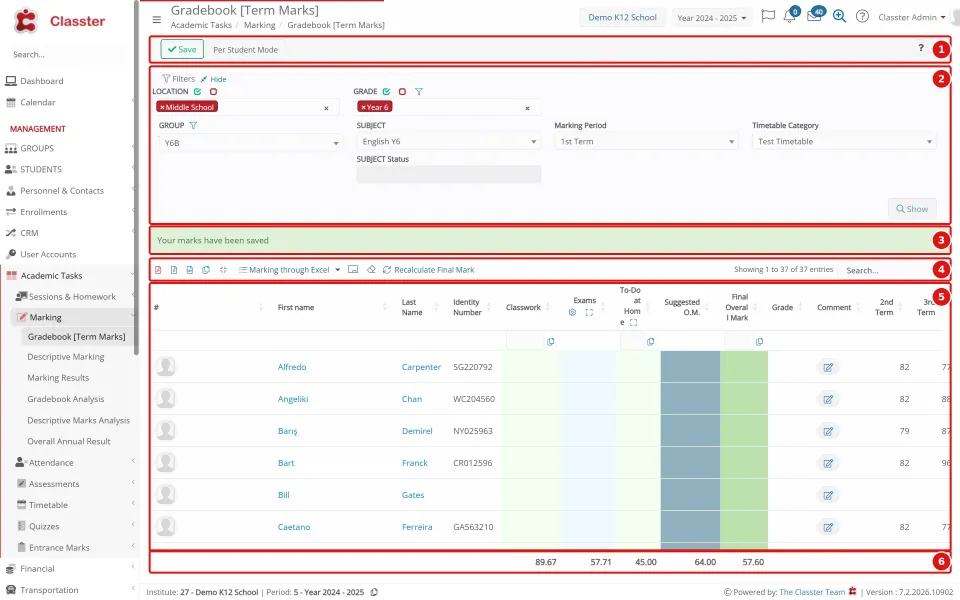
| Student | Test 1 | Lab | Test 2 | Average |
|---|---|---|---|---|
| Anna T. | 17 | 18 | 16 | 17.0 |
| Daniel K. | 11 | 9 | 12 | 10.7 |
| Leo P. | 14 | 15 | 13 | 14.0 |
| Sofia M. | 15 | 13 | 12 | 13.3 |
Show the real screen
How do you run course evaluations and parent surveys with real response rates?
Send a survey to students, parents or teachers, anonymous if you want. A required survey appears at every sign-in until it is answered, so response rates hold up. Answers are tied to the course and the class.
- Surveys to students, parents and teachers
- Anonymous answers when you choose
- Required surveys that wait at sign-in
- Satisfaction surveys after events
- Run quizzes and surveys
| Quizzes & Surveys: quizzes, tests, surveys and course evaluations, on the web and in the app | Live |
| Forms Management: one place to build your own forms for trips, permissions and requests. Being analysed now, with no date. | Roadmap |
Until then, consents and service sign-ups work as two separate steps.
Keep your LMS. Classter keeps it in sync.
Users, classes, enrolments and photos flow from the student record to your LMS every night, and changes come back. Health checks tell you when a connection needs attention.
- Two-way sync with Moodle, Canvas, Blackboard and Brightspace
- Google Classroom and Microsoft Teams classes
- Accounts created in Microsoft 365 or Google from the record
- Broken credentials flagged before teachers notice
| System | Syncs | Direction | Health |
|---|---|---|---|
| Moodle | Users, courses, enrolments | Two-way | OK |
| Microsoft Teams | Classes, members | Two-way | OK |
| Google Classroom | Classes, members | Two-way | Token expires in 6 days |
| Brightspace | Users, courses, enrolments | Two-way | OK |
Teach in the tools your staff already know.
Classter holds the student record. Your LMS, video and plagiarism tools stay where they are.
Questions buyers ask about teaching & learning.
Do we have to give up Moodle or Canvas?
Do you support LTI?
What exactly syncs?
We do not have an LMS. Is Classter enough?
Will the sync cope with thousands of courses?
Can Classter write our courses with AI?
Can we run surveys and course evaluations?
Bring your hardest question. We'll start there.
A 30-minute call on Teams with a Classter specialist for your country. Price first, then the parts you care about.