




Migrating to a new Student Information System (SIS) is one of the most consequential technology decisions a school makes, and one of the most consistently underestimated. The features of a new platform are easy to evaluate in a demo. The migration process is harder to assess, and it is where most implementations run into trouble.
The good news is that SIS migration failures are rarely caused by the technology itself. They are caused by data quality issues that were not caught before migration, insufficient planning around the go-live timeline, and staff who were not adequately trained before the system went live. All of these are preventable with the right approach.
This guide covers when to consider migrating, what the migration process actually involves stage by stage, the most common mistakes and how to avoid them, and what to look for in a vendor’s migration support before you commit.
Signs Your Current SIS Is Ready to Be Replaced
Most institutions know their current system is no longer serving them well before they formally decide to switch. The recognition usually comes from a combination of operational frustration and strategic limitation.
| Sign | What It Usually Means |
|---|---|
| Staff spend significant time on manual data entry | The system does not automate what modern SIS platforms handle by default |
| Reports take days to compile | Data lives in multiple systems that do not share a common foundation |
| Parents and students complain about portal access or usability | The system was not designed with self-service in mind |
| The vendor no longer updates the platform regularly | The product is in maintenance mode and will fall further behind |
| Integration with other tools requires custom development | The system was not built for an API-first, cloud-connected environment |
| Compliance reporting is a manual exercise before every deadline | The system does not generate the required outputs natively |
If several of these apply to your institution, the question is not whether to migrate but when. Staying on a system that is holding your operations back has a cost, even if it is harder to quantify than a migration budget.
What SIS Migration Actually Involves
Migration is not simply copying data from one system to another. It is a structured process that involves understanding your current data, cleaning it, mapping it to the new system’s structure, testing the transfer, and validating the results before going live. Each stage requires attention, and skipping or rushing any of them creates compounding problems downstream.
The table below outlines the eight stages of a well-managed SIS migration, what each stage involves, and where institutions most commonly make mistakes.
| # | Stage | Key Actions | Common Pitfalls |
|---|---|---|---|
| 1 | Data audit | Match old field names to the new system structure | Underestimating how many data sources exist |
| 2 | Data cleansing | Remove duplicates, fix formatting, fill missing required fields | Migrating dirty data and discovering errors post-launch |
| 3 | Vendor selection | Evaluate migration service quality, not just features | Choosing on price alone without assessing migration support |
| 4 | Data mapping | Run at least two test migrations, and validate with department leads | Skipping review with business users, not just IT |
| 5 | Test migration | Run at least two test migrations, validate with department leads | Going straight to live migration without testing |
| 6 | Staff training | Role-based training before go-live, not after | Training only IT, not the administrators who use it daily |
| 7 | Parallel running | Run old and new systems simultaneously for a defined period | Cutting off the old system too quickly before confidence is built |
| 8 | Go-live and review | Define cutover date, audit data accuracy post-migration | No post-migration review process to catch what was missed |
Stage 1: Data audit
Before any migration work begins, you need a complete inventory of what data you have and where it lives. For most institutions, this is more complicated than it sounds. Beyond the obvious SIS, there are often departmental spreadsheets, shared drives, legacy databases, and paper records that contain operational data that has never been formally digitized.
Document each data source: what it contains, what format the data is in, how many records exist, and who in the institution owns it. This audit will directly inform how complex your migration is and how long it will take.
Stage 2: Data cleansing
Data cleansing is the step that most institutions underinvest in, and it is the step that most directly determines the quality of the migration outcome. Migrating messy data into a clean new system does not solve the underlying problem. It transfers it.
Common cleansing tasks include: merging duplicate student records, standardizing address and date formats, filling in missing required fields, validating contact information, and removing test records that accumulated in the old system over time. This work is time-consuming but essential. Running a test migration on uncleaned data will surface how significant the issue is in your specific dataset.
Stage 3: Vendor selection
When evaluating new SIS vendors, most institutions focus on features. The quality of migration support should carry equal weight. A platform with excellent features but poor migration support will cost more in time, stress, and risk than a slightly less feature-rich platform with a documented, well-resourced migration process.
Ask every vendor you are evaluating: What does your migration process look like? Who leads it on your side? Can you provide references from institutions of similar size who have completed migrations? How do you handle data that does not map cleanly to your system’s structure? The answers will tell you whether the vendor has genuine migration experience or whether they are describing a process they expect you to figure out on your own. Classter’s dedicated migration service covers data audit support, field mapping, phased import, validation, and post-migration review.
Stage 4: Data mapping
Data mapping is the technical process of defining how each field in your old system translates to the corresponding field in the new one. Field names rarely match between systems. Date formats may differ. A field that was a single text field in the old system may need to be split across multiple fields in the new one.
Create a detailed mapping document and review it with both technical staff and the administrators who use the data daily. Technical staff catch structural issues. Business users catch semantic ones, where a field appears to map correctly but actually represents something subtly different in context.
Stage 5: Test migration
Running at least two full test migrations before go-live is the standard recommendation from experienced migration teams. The first test migration will reveal mapping issues and data quality gaps that were not apparent in the audit. The second confirms that those issues have been resolved. Going straight to a live migration without testing is the single most avoidable cause of migration failure.
Involve department leads in validating the test migration results. An administrator who knows their student records well will spot errors that automated validation tools will not flag. Spot-check specific records, run standard reports in the new system, and compare outputs against the same reports from the old system.
Stages 6 to 8: Training, parallel running, and go-live
Staff training should happen before go-live, not after. Training that is scheduled post-launch, when staff are already using the live system under operational pressure, is far less effective than hands-on training on a test environment before the system goes live.
Parallel running, where both old and new systems operate simultaneously for a defined period after go-live, gives staff a safety net and gives administrators the ability to cross-check data between systems before the old one is decommissioned. Define a clear end date for parallel running in advance and communicate it to all stakeholders.
A post-migration review, typically two to four weeks after go-live, should audit data accuracy, collect staff feedback, and identify any records or workflows that did not transfer as expected. This step is often skipped in the rush of going live, but it is essential for catching issues before they become embedded in daily operations.
What Data to Migrate and What to Leave Behind
Not all data needs to migrate to the new system. Deciding in advance what goes and what stays is one of the most important planning decisions in the process.
| Data Category | Key Fields to Verify |
|---|---|
| Student records | Name, DOB, contact details, enrollment status, ID numbers |
| Academic history | Grades, transcripts, course enrollment history, assessment results |
| Attendance | Absence records, patterns, linked notifications |
| Financial records | Tuition history, payment records, outstanding balances, discount agreements |
| Staff records | Contact details, roles, access permissions, employment history |
| Parent and family data | Contact details, communication history, portal accounts |
| Compliance documents | Any regulatory records required for audit or accreditation |
For historical data, set a clear cutoff point. Most institutions migrate five to ten years of active records and archive older data separately, rather than converting everything into the new system’s structure. Historical data that is rarely accessed does not need to live in the live production database. Keep it accessible in a separate archive and migrate only what staff will actually use.
How Long Does SIS Migration Take?
Migration timelines vary significantly based on institution size, data volume, data quality, and the complexity of the new system’s configuration requirements. A rough guide:
- Small schools (under 500 students): Four to eight weeks for a well-planned migration with a responsive vendor.
- Medium institutions (500 to 2,000 students): Eight to sixteen weeks, depending on data complexity and the number of modules being configured.
- Large multi-campus institutions (2,000+ students): Three to six months for a full migration, often using a phased approach where core SIS goes live first and additional modules follow.
These estimates assume that data cleansing has been completed before migration begins and that the vendor has a structured migration process. Add time if your source data requires significant cleaning or if your institution has complex integrations that need to be rebuilt in the new environment.
One practical rule: whatever timeline your initial estimate produces, add a fifty percent buffer. Migration projects consistently take longer than planned. Building that buffer in from the start is more professional and less stressful than managing delays after they occur.
The Phased Migration Approach
Rather than migrating everything at once in a single cutover, a phased migration moves data in logical groups over a defined period. This approach reduces risk, allows issues to be caught and resolved in earlier phases before they affect more complex data sets, and gives staff time to build familiarity with the new system before it becomes their primary tool.
A typical phased sequence might look like this:
- Phase 1: Student profiles, contact details, and enrollment status
- Phase 2: Academic records, grades, and attendance history
- Phase 3: Financial records and billing history
- Phase 4: Staff records, HR data, and access permissions
- Phase 5: Historical data and compliance documentation
Each phase includes its own test migration, validation, and sign-off before the next phase begins. This structure makes the overall process more manageable and significantly reduces the risk of a large-scale data issue appearing at go-live.
How Classter Supports SIS Migration
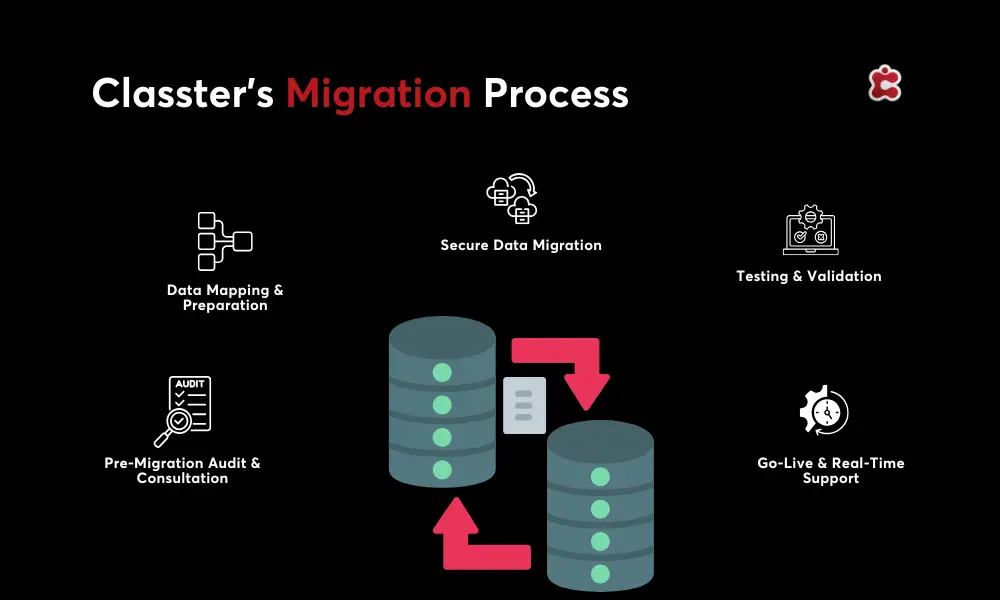
Classter offers a dedicated migration service designed to manage the full technical complexity of moving from a legacy system to Classter’s integrated platform. This includes data audit support, field mapping for all standard data types, phased import tooling, test migration runs, and validation steps before go-live.
Because Classter combines SIS, SMS, LMS, CRM, and billing in one platform, migrating to Classter consolidates multiple legacy systems into a single environment. Institutions that have been managing separate tools for student records, billing, and learning delivery can complete one migration rather than separate migrations into multiple new platforms.
The migration team has experience importing data from a wide range of source formats, including CSV and Excel exports from legacy systems, as well as direct database transfers where applicable. The process includes data cleansing support for institutions whose source data requires standardization before it can be imported cleanly.
Classter’s cloud-based infrastructure on Microsoft Azure means that the new environment is ready to receive data securely from day one, with enterprise-grade encryption during transfer and role-based access controls in place before any staff start using the live system. Classter currently supports institutions in 35+ countries that have completed migrations from legacy on-premise and cloud systems.