



For schools still running on-premise management systems, the question of switching to the cloud comes up regularly. Sometimes it comes from the IT team, who are tired of maintaining aging servers. Other times it comes from leadership, who want staff to access the system remotely. Sometimes it comes from a vendor pitch that makes migration sound straightforward.
The cloud vs on-premise decision is not as simple as vendors make it sound, but it is also not as complicated as the skeptics suggest. For the vast majority of schools, particularly K12 institutions, private schools, academies, and training centers, cloud-based school management software has become the more practical, cost-effective, and secure option. But understanding why and identifying the cases where on-premises still makes sense requires a clear-eyed look at what each deployment model actually entails.
This guide covers the real trade-offs, the total cost comparison, what migration actually looks like, and how to make the right decision for your institution’s specific context.
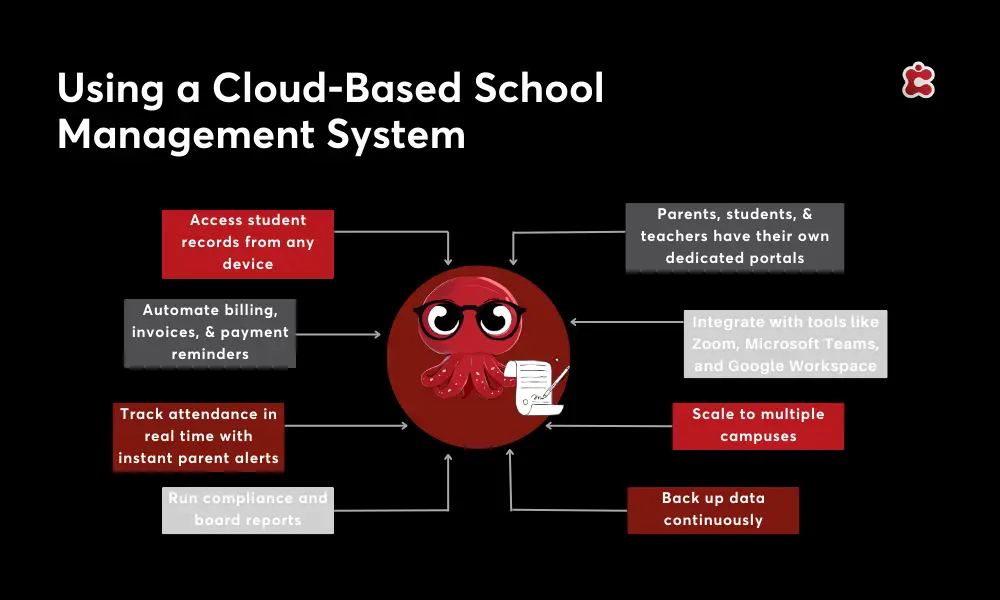
What the Two Models Actually Mean
Cloud-based school management software
A cloud-based platform is hosted by the vendor on remote servers, typically on enterprise infrastructure such as Microsoft Azure or Amazon Web Services. Your school accesses it via a web browser or app, with no local installation required. Updates, security patches, backups, and maintenance are handled by the vendor as part of the subscription.
The school pays a recurring fee, typically annual or biannual, rather than a large upfront license. The data lives in the vendor’s infrastructure, governed by a service-level agreement that defines security standards, uptime guarantees, and data-handling practices.
On-premise school management software
An on-premise system is installed on servers that the school owns and manages. The software runs locally, and access is typically limited to the school network or a VPN connection from outside. The school is responsible for hardware maintenance, software updates, security patches, backup procedures, and disaster recovery.
Upfront costs are higher because the school purchases both the software license and the hardware to run it. Ongoing costs include IT staff time, hardware refresh cycles, and often separate support contracts with the vendor for updates.
The Trade-Offs: A Side-by-Side View
The table below covers the factors that matter most for school decision-makers.
| Factor | Cloud-Based | On-Premise |
|---|---|---|
| Upfront cost | Low — subscription model | High — hardware and licensing |
| Ongoing IT cost | Included in subscription | Dedicated IT staff required |
| Setup time | Weeks | Months |
| Software updates | Automatic | Manual, often delayed |
| Accessibility | Any device, anywhere | On-site or VPN only |
| Scalability | Instant, no hardware changes | Requires infrastructure investment |
| Data security | Enterprise-grade (e.g. Azure) | Depends on in-house capability |
| Disaster recovery | Automated backups, fast recovery | Manual setup, variable reliability |
| Data control | Vendor-hosted, governed by SLA | Full internal control |
| Integration | API-ready, broad ecosystem | Custom development often needed |
| Best for | Most K12 academies, growing institutions | Large institutions with strict data sovereignty requirements |
The pattern that emerges from this comparison is consistent: cloud-based software has structural advantages in almost every operational dimension. The one area where on-premises retains a genuine argument is data control, and even that argument has weakened as cloud providers have improved data residency options and compliance frameworks.
The Real Cost Comparison
On-premise software often appears cheaper in initial vendor conversations because the recurring subscription fees of cloud platforms are visible and ongoing, while on-premise costs are front-loaded and partially hidden.
A genuine total cost of ownership comparison needs to account for all of the following on the on-premise side:
- Server hardware purchase and refresh cycle (typically every three to five years)
- IT staff time for maintenance, updates, and troubleshooting
- Software update licensing, which many on-premise vendors charge separately
- Backup infrastructure and disaster recovery setup
- Security monitoring and patching
- VPN infrastructure for remote access
- Downtime costs when hardware or software fails
When these are factored in, the total cost of on-premise ownership over a five-year period is frequently higher than a cloud subscription, particularly for institutions that do not have large, dedicated IT teams. The cloud model shifts cost from capital expenditure to operational expenditure, which is also a budget management advantage for schools that prefer predictable annual fees over irregular, large investments.
For smaller schools with limited IT resources, the maintenance burden of on-premise software is often the highest hidden cost. Staff who spend time managing server infrastructure are not spending that time on administration, teaching support, or strategic work.
Security: Addressing the Most Common Concern
The most frequent objection to cloud-based school management software is data security. Schools manage sensitive student information, and the instinct to keep that data behind a physical firewall is understandable.
The reality is that enterprise cloud infrastructure, particularly platforms running on Microsoft Azure or equivalent, provides security capabilities that are beyond what most individual schools can replicate in-house. This includes:
- Encryption of data at rest and in transit
- Multi-factor authentication
- Role-based access controls
- Continuous security monitoring
- Automated backups with tested recovery procedures
- Compliance with GDPR, FERPA, and other regional data protection frameworks
- Regular independent security audits
The school that stores student data on an aging on-premise server with manual backup procedures and limited IT oversight is not more secure than one using a well-governed cloud platform. In most cases, the opposite is true.
The legitimate security question for cloud platforms is not whether they are secure, but which jurisdiction the data is hosted in and whether the vendor’s data handling practices comply with the regulations applicable to your institution. Ask vendors directly about data residency options and request documentation of their compliance certifications.
When On-Premise Still Makes Sense
For most schools in 2026, cloud-based software is the right choice. But there are specific circumstances where on-premise deployment remains justifiable.
- Strict data sovereignty requirements. Some governments mandate that student data cannot leave the country or must be stored on government-approved infrastructure. If your regulatory environment imposes these requirements, check whether your preferred cloud vendor offers compliant local data residency options before concluding that on-premise is your only option.
- Significant existing infrastructure investment. Institutions that recently invested heavily in on-premise infrastructure may not be able to justify migration costs in the short term. In this case, a phased migration timeline over two to three years may be more practical than an immediate switch.
- Highly customized legacy systems. Some institutions have built deep customizations into their on-premise systems over many years. Migration requires either recreating those customizations in the new platform or accepting reduced functionality. This is worth auditing carefully, as many legacy customizations exist because the original system lacked native features that modern cloud platforms include by default.
These cases are becoming less common. Cloud vendors have substantially improved data residency options, compliance frameworks, and migration support over the past three years, which has reduced the number of legitimate reasons to stay on-premises.
What Migration Actually Looks Like
The migration from on-premise to cloud is the part of this conversation that vendors most frequently underplay. It involves real work, a defined timeline, and careful management to avoid disruption.
| Migration Stage | Key Considerations |
|---|---|
| Data audit | What data exists, what format is it in, and what needs to be cleaned before migration |
| Vendor selection | Does the cloud platform have a migration service? What does their data import process look like? |
| Data migration | Student records, historical grades, financial data, staff records — prioritize what goes first |
| Staff training | Plan for a learning curve. Budget time for onboarding before go-live |
| Parallel running | Run old and new systems simultaneously for a defined period to catch gaps before full cutover |
| Go-live | Define a clear cutover date and communicate it to all stakeholders in advance |
| Post-migration review | Audit data accuracy, collect staff feedback, and identify anything that did not transfer correctly |
The most important piece of advice for any institution planning migration is to invest time in the data audit before choosing a vendor. Knowing exactly what data you have, what condition it is in, and what format it is stored in will significantly affect your evaluation of which cloud platform can receive it most cleanly.
A vendor that offers a structured migration service, with documented processes and reference clients who have completed similar transitions, is meaningfully better positioned to support you than one that describes migration as straightforward without evidence to back that up.
How Classter Approaches Cloud Deployment
Classter is a fully cloud-based school management platform hosted on Microsoft Azure infrastructure. This means institutions benefit from enterprise-grade security, automatic updates, multi-device access, and the data residency options that Azure provides across its global network of data centers.
For institutions migrating from on-premise systems, Classter provides dedicated migration services covering data audit support, import tooling for student information, historical records, and financial data, alongside implementation guidance and staff training to support the transition.
The modular architecture means institutions do not have to migrate everything at once. Core SIS and enrollment functionality can go live first, with additional modules for billing, LMS, HR, and communications activated over time as the team builds familiarity with the platform.
Because Classter combines SIS, SMS, LMS, CRM, and ERP in a single cloud platform, migrating to Classter also consolidates multiple on-premise tools into one system, which reduces the total migration complexity rather than adding to it.
Classter currently serves institutions in 35+ countries, including organizations that have completed full migrations from legacy on-premise systems. The Azure infrastructure supports compliance with GDPR and other regional data protection frameworks, with data residency options available for institutions operating in specific regulatory environments.
FAQ’s
Cloud-based software is hosted by the vendor and accessed via the internet from any device. On-premise software is installed on the school’s own servers and accessed locally. Cloud systems have lower upfront costs, automatic updates, and broader accessibility. On-premise systems offer more direct data control but require significant IT infrastructure and maintenance.
Yes, when hosted on enterprise-grade infrastructure. Reputable cloud platforms use encrypted connections, multi-factor authentication, role-based access controls, automated backups, and comply with data protection regulations, including GDPR and FERPA. In most cases, cloud security exceeds what smaller institutions can achieve with in-house infrastructure.
Yes. Classter is a fully cloud-based school management platform hosted on Microsoft Azure infrastructure. It provides automatic updates, enterprise-level security, multi-device access, and data residency options for institutions operating in different regulatory environments.