




Evaluating a new SIS provider can feel like a lot to manage, especially when every platform claims to streamline operations in its own way. Schools are looking for clarity and confidence in their decision, and the right student information systems should make daily workflows easier, not add complexity.
A simple framework helps cut through the noise. By focusing on key areas such as features, support, scalability, integrations, and long-term value, you can compare options with ease and understand what truly differentiates one SIS from another. If you are starting your SIS provider evaluation or refining a shortlist, this guide helps you move through the process without feeling overwhelmed.
Start With the Core Features Your School Truly Needs
Before comparing platforms, it helps to establish a clear picture of the core capabilities your school depends on every day. Many student information systems advertise an extensive list of tools, but the real value comes from how well those features support your essential workflows.
Begin by outlining the must-haves across admissions, attendance, grading, reporting, communication, and data management. This gives you a focused lens for evaluating your SIS provider and makes it easier to move past flashy add-ons that do not align with your school’s priorities.
As you assess options, use your list to guide conversations and product demos. This simple step clarifies what to look for in a student information system and ensures that every feature you examine connects directly to real needs, not assumptions. With a clear feature baseline in place, it becomes far easier to compare platforms and eventually choose SIS with confidence.
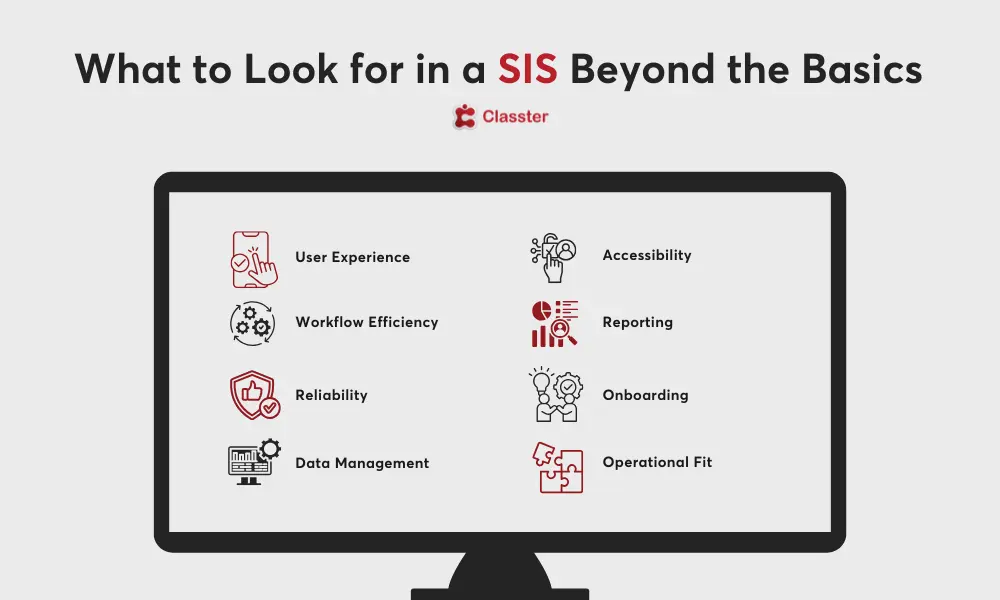
What to Look for in a Student Information System Beyond the Basics
A well-rounded SIS involves looking beyond core functionality to assess long-term value. Here are key areas to examine:
- User Experience and Interface: Evaluate how intuitive the system feels for teachers, administrators, and families.
- Workflow Efficiency: Determine whether the platform reduces manual tasks and supports smoother daily operations.
- System Reliability: Check for consistent performance during peak periods and throughout the school year.
- Data Accuracy and Management: Assess how well the system maintains accurate, real-time data across departments.
- Device Accessibility: Look for flexible access across desktops, tablets, and mobile devices.
- Reporting and Insights: Confirm that the platform offers dashboards and analytics that support informed decision-making.
- Ease of Onboarding: Review how simple it is to train and onboard new users with minimal disruption.
- Operational Fit: Consider how seamlessly the system aligns with your existing processes and routines.
Evaluating Support and Training Before You Commit
Reliable support is one of the strongest indicators of how well a provider will partner with your school over time. During your evaluation process, it helps to look closely at the level of guidance, responsiveness, and training each vendor offers, both at launch and long after implementation.
Consider the following when assessing support and training:
- Quality of Onboarding: Determine how structured and hands-on the implementation process will be.
- Training for All User Groups: Confirm that teachers, administrators, and staff receive training tailored to their roles.
- Response Times: Understand how quickly the team responds when questions or issues arise.
- Help Resources: Look for clear documentation, tutorial libraries, and self-guided materials.
- Dedicated Contacts: Check whether you will have a consistent support representative.
- Long-Term Support Approach: Review how the provider handles updates, new features, and ongoing system maintenance.
Strong support amplifies the value of your student information systems investment and builds confidence throughout your community. With a clear understanding of these factors, it becomes easier to recognise what to look for in a student information system and ultimately choose SIS with assurance.
Integrations That Make Daily Workflows Easier
A modern SIS should fit seamlessly into your school’s existing digital environment. During your SIS provider evaluation, integrations play a central role because they determine how efficiently data moves between platforms and how much manual work your team can eliminate.
Evaluate how well the SIS connects with tools you already rely on, such as learning management systems, finance software, communication platforms, assessment tools, and identity management systems. Strong integrations reduce duplication, improve data accuracy, and create a smoother experience for staff and families.
As you compare options, integrations also help clarify what to look for in a student information system, since a platform that connects easily to your wider ecosystem will save time, reduce errors, and support long-term growth. Keeping this in mind helps you choose SIS solutions that simplify workflows rather than complicate them.
Decision Checklist to Keep Your SIS Evaluation on Track
A structured checklist keeps your SIS provider evaluation organised and ensures every platform is measured consistently. Use the table below as a quick reference during your review process.
| Checklist Item | What to Assess | Why It Matters |
| Essential Features | Confirm the system meets core operational needs. | Ensures the SIS supports daily tasks without workarounds. |
| Advanced Capabilities | Review functionality beyond basic requirements. | Helps you evaluate long-term suitability and added value. |
| Support and Training | Examine onboarding, guidance, and responsiveness. | Strong support reduces frustration and improves adoption. |
| Integrations | Assess compatibility with current tools and platforms. | Minimizes manual work and improves data accuracy. |
| Scalability | Determine whether the system can grow with your school. | Protects your investment as enrollment, programs, or needs change. |
| Usability | Compare ease of use for staff, students, and families. | Enhances system adoption and reduces training time. |
| Reporting | Look for clear dashboards and analytics tools. | Supports more informed decision-making across the school. |
| Long Term Value | Evaluate total cost over time, not just upfront pricing. | Helps you understand the true financial impact of the system. |
Red Flags to Watch Out for During SIS Provider Evaluation
Not every platform will be the right fit, and spotting early warning signs can save your school time, money, and stress. As you move through your SIS provider evaluation, it helps to recognise indicators that a system may fall short of your needs or create challenges later on.
Common red flags include:
- Limited Transparency: Vague information about pricing, features, or contract terms can signal future complications.
- Poor Usability: If staff struggle during demos, the system may be difficult to adopt at scale.
- Weak Integrations: Difficulty connecting to essential tools creates extra manual work and data inconsistencies.
- Slow or Unclear Support: Delayed responses or unclear support processes may lead to frustration once the system is live.
- Outdated Interface or Technology: Legacy systems can limit growth and may not align with modern expectations for student information systems.
- Lack of Customisation: If the platform cannot adapt to your workflows, it may force your school into inefficient processes.
- No Clear Roadmap: Providers without a vision for updates and improvements may offer limited long term value.
Recognizing these signs early strengthens your ability to identify what to look for in a student information system and helps you choose SIS solutions that offer stability, transparency, and genuine partnership.
Why Classter Stands Out in Your SIS Evaluation
Classter gives schools a clear example of how a well designed platform can simplify daily operations during an SIS provider evaluation. It focuses on connected data, ease of use, and strong functionality across essential workflows. Classter’s SIS features include:
- Admissions management
- Attendance tracking
- Grading and academic records
- Communication tools for teachers, parents, and students
- Reporting and analytics
Together, these form one unified system that reduces manual work and improves data accuracy. This aligns closely with what to look for in a student information system and helps schools confidently choose SIS options that meet key SIS comparison criteria for schools.Evaluating a new SIS provider can feel like a lot to manage, especially when every platform claims to streamline operations in its own way. Schools are looking for clarity and confidence in their decision, and the right student information systems should make daily workflows easier, not add complexity.
FAQ’s
Use a structured framework that examines features, support, integrations, scalability, usability, and long-term value. A checklist approach helps ensure each SIS is evaluated consistently.
Scalability ensures your platform can grow alongside your institution. As enrollment, programs, or locations expand, scalable school management software prevents the need for costly system replacements later.
Its interface is designed for simplicity and clarity. Teachers can manage coursework easily, while students and parents access grades, timetables, and communication tools through intuitive portals.