



Attendance data, explained in plain language.
Classter AI turns a student's attendance record into a clear written summary: a quick read for teachers on the Academic Progress page, and a full report for admins straight from the Attendance List.

Attendance records pile up fast. Making sense of them shouldn't take hours.
Every absence, late and justification ends up in a long list that nobody has time to read. Classter AI turns it into a short summary of the totals, the trend and how each student compares with their class.

Two tools, one goal
The right summary for every role.
AI Teaching Companion
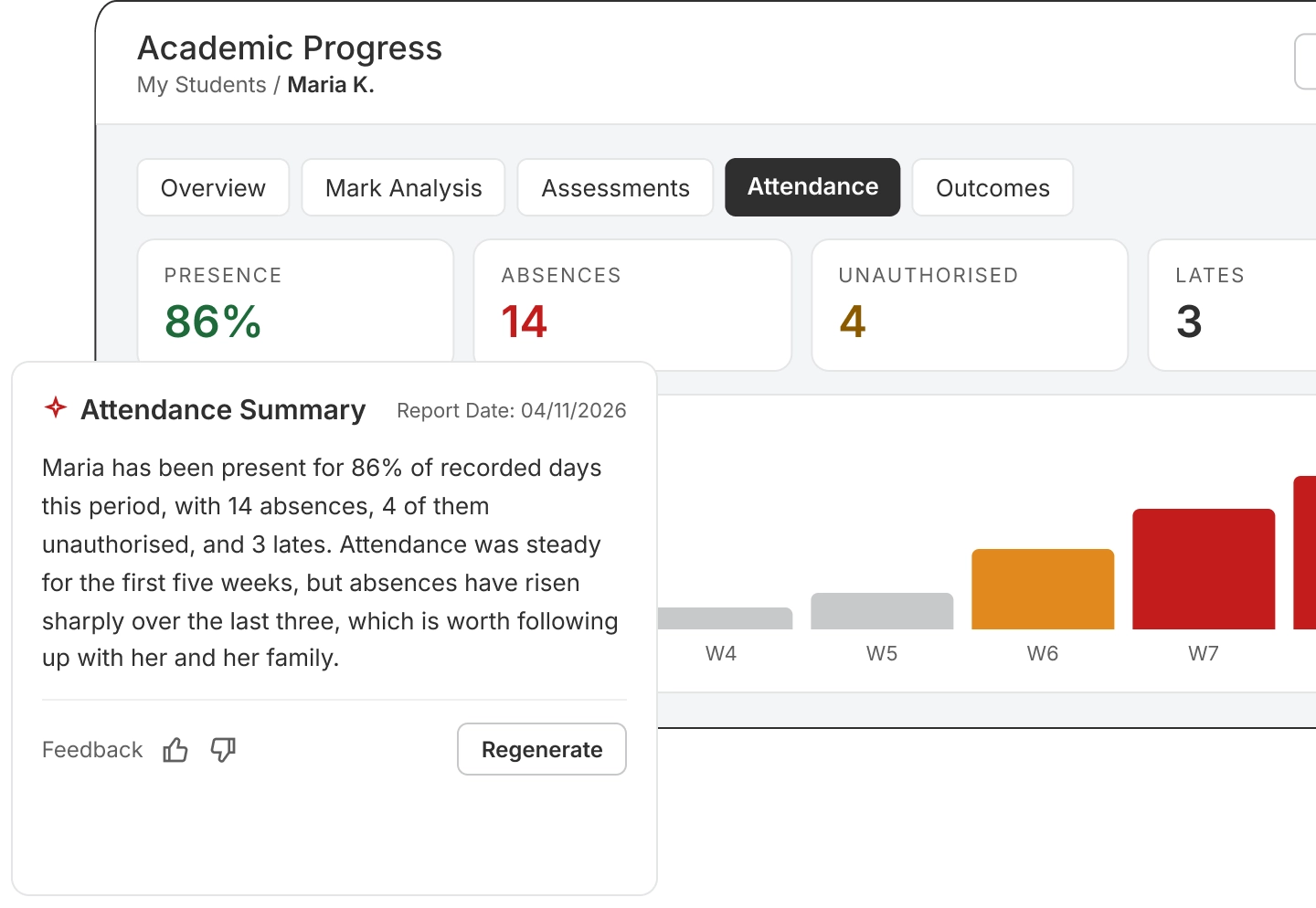
A one-paragraph summary of a student's attendance and recent trend, waiting in the Attendance Summary box on their Academic Progress page.
AI Attendance Summary Report
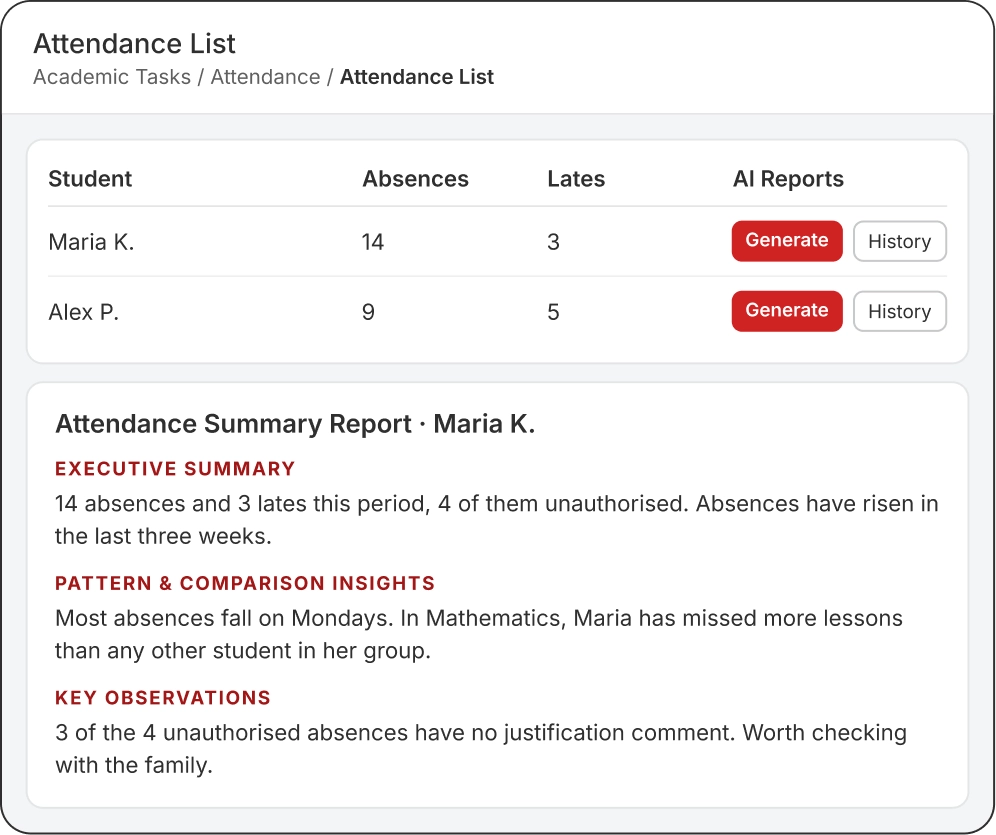
One click on the Attendance List writes a full report for a student: totals, absence details, the weekly trend and a comparison with their subjects and groups.
AI Teaching Companion
Know your student before class starts.
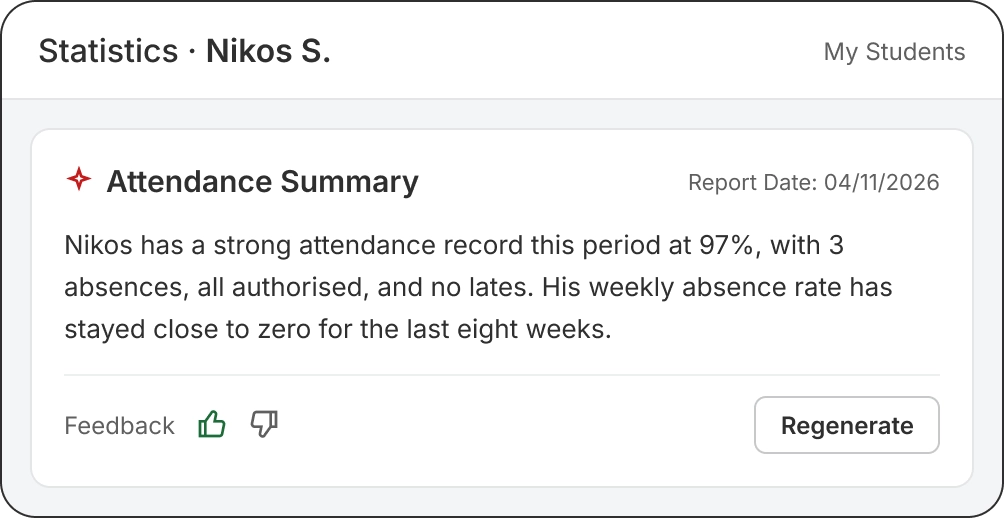
Open a student's Academic Progress page and the summary is already there: overall attendance for the period and the trend of the last eight weeks, in one paragraph.
- Written once, read for free. The summary is saved and shown again at no extra cost. Regenerate it whenever you want a fresh one.
- Feedback built in. Rate each summary so you can tell your team what's useful.
AI Attendance Summary Report
A full report in one click.
From the Attendance List, generate a report for any student. Every report follows the same three sections, so your team always knows where to look.
- Every absence counted. Days, absences, lates, presences and unauthorised absences, with each entry's date, subject and justification.
- Compared with the class. See how a student's absences compare with the others in each subject and group.
- History kept. Every report is saved, ready to open again or download.
Clear for your team. Simple to control.
In your language
Summaries and reports are written in the language each user works in, Greek included.
Your terminology
Uses your institution's own terms for students, subjects and groups.
Personal to each user
Each user gets their own summary, so a teacher's view never overwrites a colleague's.
The right people see it
Role rights decide who sees the Teaching Companion and who can generate reports.
AI on your budget
Set monthly caps for the whole institution, for each role or user type, and for individual users.
Nothing lost at the limit
If a cap is reached, new summaries pause but the last ones stay visible.
Frequently Asked Questions
The Teaching Companion is a short summary for teachers and staff on a student’s Academic Progress page. The Attendance Summary Report is a fuller report for admins and secretaries, generated from the Attendance List.
No. A Teaching Companion summary is written once and shown again at no cost. A new one is written only when you click Regenerate.
Summaries and reports are written in the language the user is working in when they’re generated, for example English or Greek.
The summaries are written from your own attendance records. As with any AI output, check important details against the attendance entries before acting on them.
The Classter AI module in your licence. Then switch on each service and give the right roles access.
See your attendance data explained.
Thirty minutes, with your attendance in mind. We'll show you the Teaching Companion and the AI reports in action.