



Your exam timetable, drafted by AI. Finalised by you.
Choose the dates, hours and rooms. The AI Exam Scheduling Engine gives every exam a day, a period and a classroom, always respects your hard rules, and takes direction in plain language.
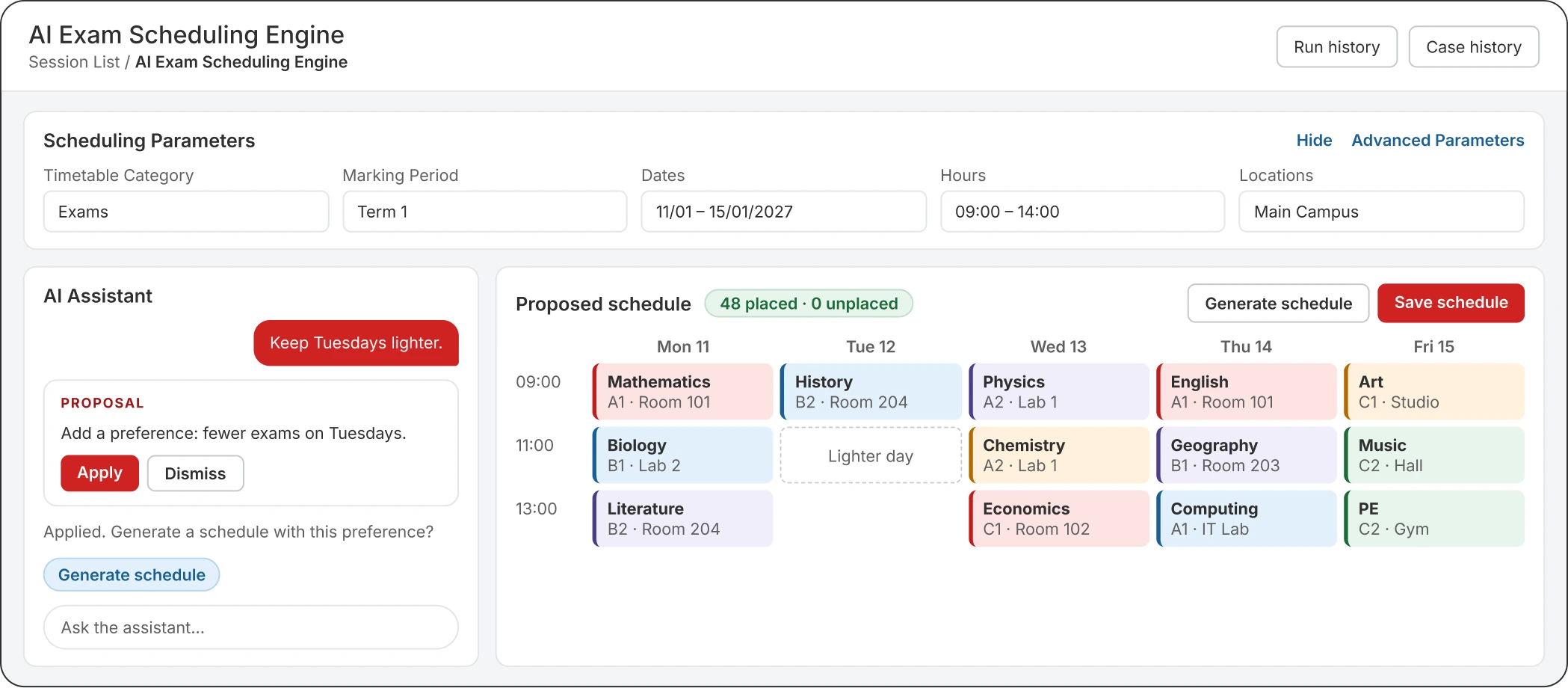

Exam timetables take weeks by hand. They don't have to.
Most schools still plan exams in a spreadsheet, moving groups, teachers and rooms around until it all fits. Classter drafts the timetable for you, and your team makes the final calls.

How it works
From blank calendar to saved timetable.
Set the parameters
Pick the dates, the marking period, the hours and the locations. The groups to examine come straight from the marking period.
Generate
The engine gives every exam a day, a timetable period and a classroom. Each exam keeps the teacher of its group.
Steer it in plain language
Tell the AI Assistant what you want, or drag an exam to another day, hour or room yourself. Generate again as often as you like.
Review and save
Check it in the calendar, the list or a printout. Nothing reaches the timetable until you click Save schedule.
AI Assistant
Say what you want.
It proposes, you decide.
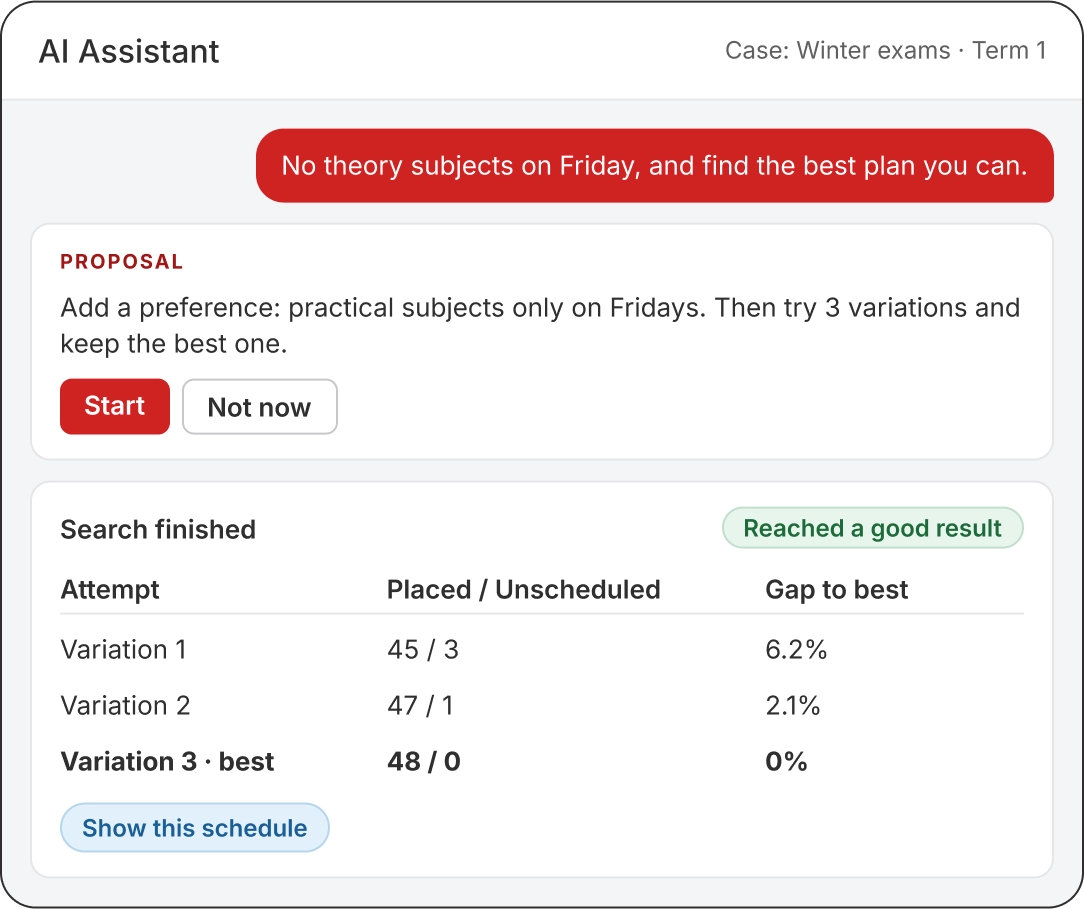
Ask for "keep Tuesdays lighter" or "don't put theory subjects on Friday". The assistant never changes the plan by itself. It answers with a proposal you can apply or dismiss.
- Try several variations. The assistant can run a series of attempts and keep the best one.
- Preferences, not walls. A preference guides the plan, but an exam can still go there when nothing else fits.
No exam left out silently.
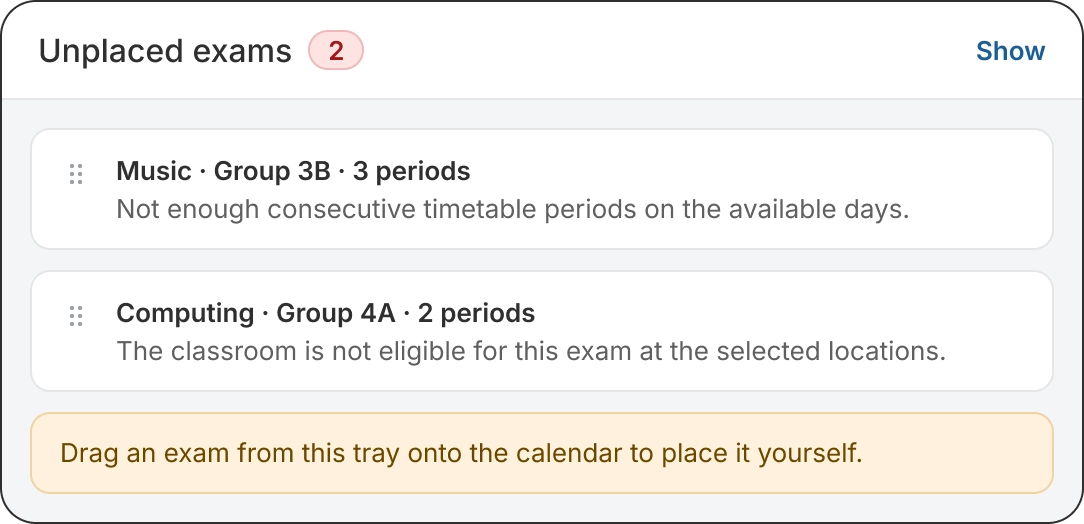
If an exam can't be placed, the engine lists it with the reason. Drop a move that can't work and it tells you why, before anything is saved.
Built for how your institution actually works.
Hard rules, always kept
The critical constraints of your timetable are always respected.
Teachers stay with their groups
Each exam keeps the teacher of its group. The engine never reassigns staff.
One exam per subject, if you want
Run each group separately, or put every group of a subject into a single exam.
Nothing saved until you approve
Every plan is a draft. Save schedule creates the real exam sessions in one step.
Assessments, ready to go
Optionally create an assessment for every exam session as you save.
AI on your budget
Set a monthly cap for the service. Schedules you've already generated stay available.
Frequently Asked Questions
No. Each exam keeps the teacher of its group. The engine chooses the day, the timetable period and the classroom.
Yes. Drag any exam to another day, hour or classroom. If a move can’t work, you’ll see the reason straight away.
It’s listed as unplaced, with the reason. You can adjust the parameters and generate again, or drag it onto the calendar yourself.
No. Generating, editing and adding preferences only change the draft. The real exam sessions are created only when you click Save schedule.
Owners, admins and secretaries with the right to create or edit sessions, at institutions with the Classter AI module in their licence.
Plan your next exam period in one sitting.
Thirty minutes, with your exam period in mind. We'll show you the AI Exam Scheduling Engine building a timetable from start to finish.